
A data protection impact assessment (DPIA) is a written risk check you do before you start processing that is likely to be high risk for people. Under the UK and EU GDPR, hiring tools that evaluate people at scale, use new technology or make automated decisions often call for one. This guide explains when you need one, what it contains and gives a template you can fill in.
Key takeaways
- A DPIA is a document that asks: what do we do with data, is it necessary and fair, what could go wrong, and what do we do about it?
- Do it before you start using a tool, not after. Update it when the tool or the use changes.
- Hiring tools that score, rank or filter applicants, analyse video or voice, or combine data from many sources are strong candidates for a DPIA.
- Involve recruiting, IT or security, a data protection lead and, where possible, the views of applicants.
- A DPIA can end with the answer “do not use this tool” or “use it with these limits”.
What the law says
Article 35 of the GDPR requires a DPIA where processing is likely to result in a high risk to the rights and freedoms of people. The article gives examples that include systematic and extensive evaluation of personal aspects based on automated processing, including profiling, on which decisions are based that produce legal or similarly significant effects. National regulators publish lists of processing that always needs one. The UK Information Commissioner’s Office explains the duty in its guidance on data protection impact assessments. The European Data Protection Board publishes European guidance and endorses criteria for deciding when a DPIA is likely.
Employment decisions have a significant effect on people. Applicants are also in an unequal position, because they depend on your decision. Both points weigh toward doing a DPIA for tools that go beyond basic storage. The EU AI Act separately treats some hiring AI systems as high risk, and has its own duties. We do not state dates. Read the official text and our overview of the EU AI Act and hiring tools.
In the United States there is no general DPIA duty. Some state privacy laws require risk assessments for certain processing, and some local laws require bias audits for automated employment decision tools. Check the rules where you hire. Many US employers do a similar assessment as good practice.
Do you need one? A quick screen
| Question | If yes |
|---|---|
| Does the tool score, rank, filter or recommend applicants? | A DPIA is very likely needed |
| Does it analyse video, voice, facial expression or other biometric data? | A DPIA is very likely needed, and extra legal limits may apply |
| Does it combine data from several sources, such as social media or public profiles? | A DPIA is likely needed |
| Do you process data about many applicants, or about vulnerable groups? | Consider a DPIA |
| Does the tool make decisions without a person reviewing them? | A DPIA is needed, and the automated decision rules also apply |
| Is it a basic storage or scheduling tool with no evaluation? | A DPIA may not be needed. Record why |
Write down the result of this screen even when the answer is “no DPIA”. The record shows you thought about it.
What a DPIA contains
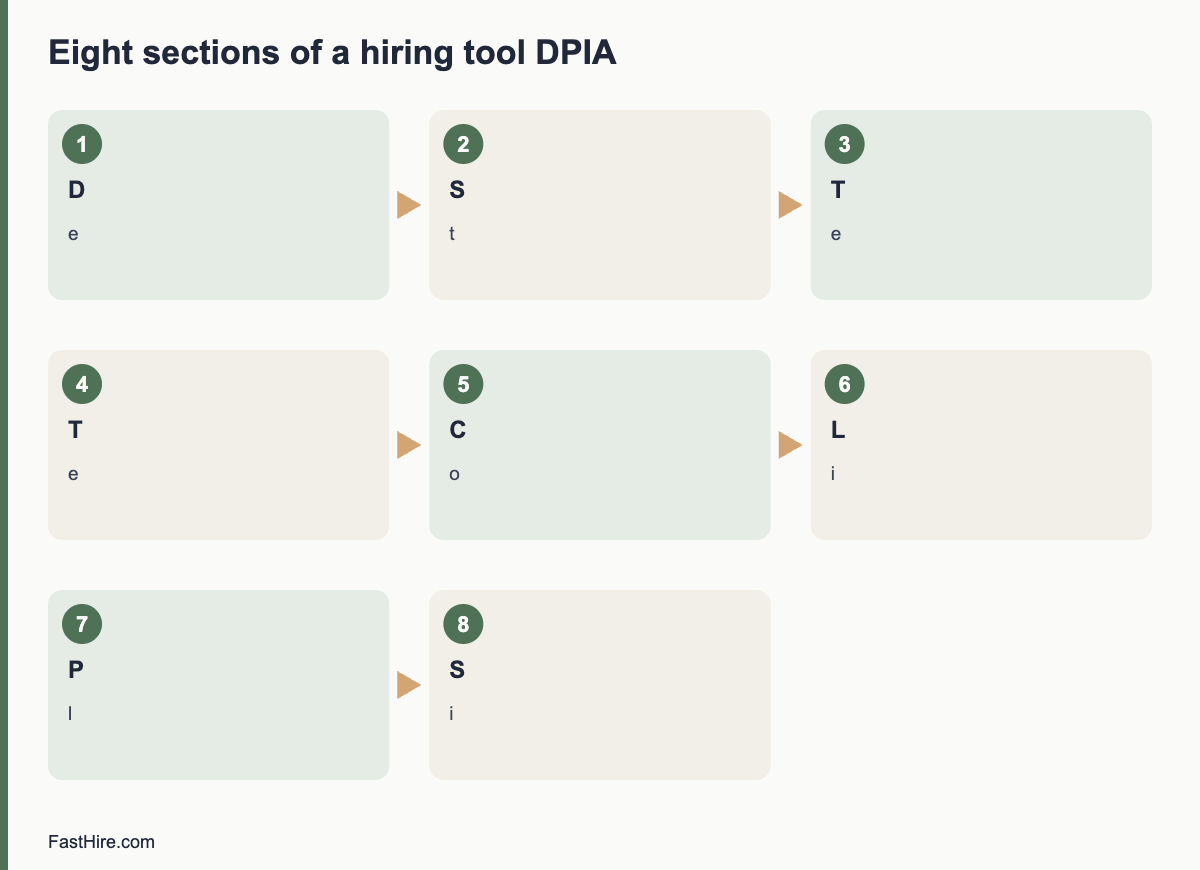
The GDPR requires at least four things: a description of the processing and its purposes, an assessment of necessity and proportionality, an assessment of risks to people, and the measures you will take to address the risks. In practice you can organise the work in eight sections.
- Describe the processing. What tool, what data, from whom, for what decision, where stored, who sees it, how long kept.
- State the purpose and the lawful basis. Why you need it, and the lawful basis for each purpose.
- Test necessity. Could you reach the same goal with less data or a simpler method? For example, can a reviewer check the job requirements against the CV directly?
- Test proportionality and fairness. Is the effect on applicants proportionate to the benefit? Could the tool treat groups differently?
- Consult. Ask recruiters, hiring managers, IT or security, the data protection officer if you have one, and where possible applicants or their representatives.
- List the risks. For each, score likelihood and severity as low, medium or high.
- Plan measures. Reduce each risk with a specific action, an owner and a date.
- Sign off and review. Record the decision, who made it, and when you will review it.
A template
| Section | What to write | Example (fictional) |
|---|---|---|
| 1. Processing | Tool name, data types, volumes, storage, recipients | A screening tool reads CVs and highlights text that matches job requirements. About 3,000 CVs per year. Data stored in the EU. |
| 2. Purpose and basis | Why, and the lawful basis | To assess applications fairly. Legitimate interests; assessment recorded. |
| 3. Necessity | Alternatives considered | Manual review is slower. A highlight tool does not need names or photos, so we hide them. |
| 4. Fairness | Risks of unequal effects, how you test | We compare the tool output with manual review on a sample each quarter. |
| 5. Consultation | Who you asked, what they said | Recruiters asked for an override. IT asked for single sign-on. |
| 6. Risks | Likelihood and severity | Wrong highlights could mislead a reviewer: medium likelihood, medium severity. |
| 7. Measures | Action, owner, date | Reviewers see the full CV next to every highlight. Owner: head of recruiting. Done by launch. |
| 8. Sign-off | Decision, date, review date | Approved with conditions. Review in six months. |
The example is invented to show the format. It is not a legal assessment. Your DPIA must reflect your actual tool and facts.
Risks specific to hiring tools
| Risk | Why it matters | Possible measure |
|---|---|---|
| Unfair or biased results | A tool trained on past decisions may repeat past patterns | Test results across groups where lawful; keep a person deciding; remove proxies |
| Opaque decisions | Applicants and reviewers cannot see why a result appeared | Choose tools that show the evidence, such as the CV passage behind each mark |
| Over-collection | Tools may pull in extra data from public sources | Turn off enrichment; collect only what the role needs |
| Inaccurate data | Parsing errors can misread a CV | Let reviewers see the original; let candidates correct their data |
| Excessive retention | Data kept in a vendor system after the process | Set retention rules; test deletion |
| Transfers abroad | Data may move to other countries | Check vendor locations and transfer tools |
| Security | A breach exposes CVs and contact details | Access by role, strong sign-in, encryption and breach plan |
| Candidate rights | Requests to access or delete may be hard to answer | Test the request process before launch |
What to ask the vendor
- What data does the tool use, and from which sources?
- How does it produce its output? Can we see the reasons for each result?
- Has it been tested for different results between groups? Can we see a summary?
- Where is the data stored and who are your sub-processors?
- Can we switch off any automated feature?
- Will you help us with the DPIA by sharing documents and answering questions?
Our guide to choosing recruiting software lists 25 questions that feed directly into a DPIA.
After the DPIA
- Do not skip the follow-up. Measures on paper do not protect anyone until they are in place.
- Review on a schedule. Every six to twelve months, and whenever the tool, the data or the use changes.
- Consult the regulator if risks remain high. The GDPR provides for prior consultation where you cannot reduce a high risk. Read the official guidance.
- Update your privacy notice. The notice should match the DPIA.
- Keep the document. It is evidence of your accountability.
FastHire is being built to keep people in charge. It shows each job requirement next to the exact CV passage that supports it, so a reviewer can check the evidence. It does not rank, score or reject candidates. People make every decision. FastHire is coming soon. If you assess FastHire or any other tool, use the template above.
How to score risks without false precision
Use a simple three-level scale for likelihood and for severity. Likelihood asks how probable it is that the harm happens. Severity asks how bad the harm is for the person. A harm that is unlikely but very serious, such as a wrongly rejected applicant who never learns why, still needs a measure. Do not pretend that the scores are exact. They help you decide where to act first.
| Risk (fictional example) | Likelihood | Severity | Overall | Measure |
|---|---|---|---|---|
| Reviewer trusts a wrong highlight | Medium | Medium | Medium | Show the full CV next to every highlight; train reviewers to check |
| Applicant data stored longer than stated | Low | Medium | Low to medium | Automatic deletion; quarterly check |
| Data moved to a country without a transfer tool | Low | High | Medium | Confirm vendor storage; sign transfer terms |
| Applicant cannot get a copy of their data | Medium | Low | Low to medium | Written request procedure; test it |
| Tool treats groups unequally | Unknown | High | High until tested | Test on a sample; keep a person deciding; turn off a feature if a problem appears |
The last row shows an honest approach. When you do not know a likelihood, say so, and treat the risk as high until you have evidence. Do not enter “low” because the vendor says so.
A five-day plan for a first DPIA
- Day 1: gather facts. Collect the vendor documents, the data map and the application form. List the people to consult.
- Day 2: fill in sections 1 to 3. Describe the processing, the purpose and the necessity test.
- Day 3: run a short workshop. Ask recruiters, a hiring manager and IT to name risks. Write them without judging them.
- Day 4: score and plan. Score each risk, assign measures, owners and dates.
- Day 5: review and sign. Ask your data protection lead to comment. Record the decision and the review date.
The first DPIA takes the longest. After that you can reuse the structure, and later reviews are shorter. Keep a folder with the final document, the vendor papers and the consultation notes.
Common DPIA mistakes
- Writing it after launch. A DPIA is meant to shape the decision. If the tool is already in use, treat the DPIA as urgent and do it now.
- Copying the vendor’s template without edits. The assessment is about your use, your data and your applicants.
- Listing risks to the company only. The focus is risk to people, such as unfair treatment, loss of privacy or loss of opportunity.
- Leaving out consultation. Include the people who use the tool and, where possible, the people affected by it.
- No review date. Tools change, so the assessment must change with them.
Finally, write a one-paragraph summary at the top of the DPIA for busy readers. It should say what the tool does, the main risks, the measures and the decision. Executives, managers and regulators will read the summary first. If it is unclear, the rest of the document will not be read carefully.
Frequently asked questions
Is a DPIA the same as a legitimate interests assessment?
No. A legitimate interests assessment checks whether that lawful basis fits. A DPIA is a broader risk assessment. You may do both for the same tool.
Who signs off on a DPIA?
Usually a senior person responsible for the process, with advice from the data protection officer or lead. The adviser records advice, and the decision-maker records the decision.
Do small companies need DPIAs?
The rule depends on risk, not on company size. A small company using a tool that scores applicants may still need one.
Can the vendor do the DPIA for me?
The vendor can give information, but you are responsible for the assessment of your own use.
Does a DPIA replace a bias audit?
No. A DPIA looks at risks to people from the use of data. A bias audit tests outcomes for different groups. Some tools need both.
Related guides
- Hiring guides for fair and compliant hiring
- GDPR for job applicants: what employers must do
- How to choose recruiting software: 25 questions to ask every vendor
- EU AI Act and hiring tools
- All hiring guides for employers
- Automated decisions about applicants under GDPR Article 22
This is general information, not legal advice.