
You can post a job for free on public job services, your own website, social networks, local community boards, schools and colleges, and through your network. Free channels cost time, not money, so pick three to five that match the role and track which ones bring suitable applicants. Use a clear ad, apply the same fair process to everyone, and do not rely on word of mouth alone.
Key takeaways
- Free channels cost your time. Choose by role type and location, not by habit.
- Use three to five channels, not fifteen. Track the source of each applicant.
- Government job services, your own careers page, local boards and schools are strong free options in many places.
- Word of mouth is useful but can narrow your pool. Always add at least one open channel.
- Write one clear ad and adapt the first lines for each channel.
Free channels and when to use them
| Channel | Best for | Effort | Watch out for |
|---|---|---|---|
| Public employment services (for example the job service run by the government in your country) | Local, entry-level, trades, part-time and shift roles | Low | Listings may need an account; check the posting rules |
| Your own website or careers page | Every role; builds a lasting source | Medium at first, low after | Needs traffic; link to it from other channels |
| Your business social media profiles | Roles where customers or fans may apply | Low | Reach depends on your followers; be careful with ad wording |
| Professional networks for individuals | Office, skilled and remote roles | Medium | Free posts may be limited in number or reach |
| Local community boards, shops and libraries | Local and part-time roles | Low | Short reach; use a clear contact method |
| Schools, colleges and universities | Entry-level, apprentice, intern and seasonal roles | Medium | Follow each institution’s rules for employers |
| Industry associations and groups | Specialist roles | Medium | Read the group rules; do not spam |
| Alumni and volunteer networks | Mission-led or specialist roles | Medium | Keep the process open to all |
| Your network and customers | Any role, especially hard-to-fill | Low | Can narrow the pool; combine with open channels |
| Your own email list | Any role if you have a list | Low | Only message people who agreed to receive email from you |
Job board names and free-posting rules change often, so check each site’s current terms before you spend time. In the US, the Department of Labor sponsors CareerOneStop, which lists American Job Centers that help employers find workers. In the EU, the EURES portal supports cross-border job search. In the UK, GOV.UK: employing people points to the official routes for employers.
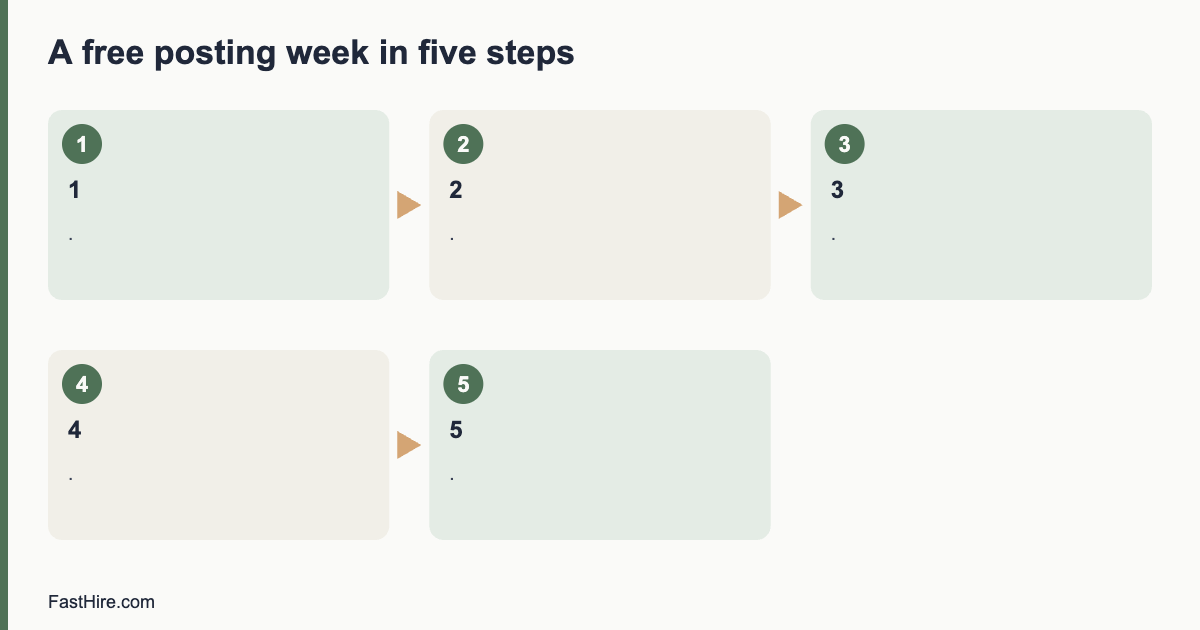
A five-step plan for a free posting week
Step 1: Write one strong ad
A clear ad saves you hours of screening. Use our guide to writing a job ad that attracts the right applicants. Include the job title, the main tasks, three to five must-haves, the pay range, the hours, the place and how to apply. Keep it under 500 words.
Step 2: Pick the channels
Choose by role. For a shift worker in a town, pick the public job service, local boards and your shop window. For a remote designer, pick your website, a professional network and one industry group. For a trainee, pick local schools and colleges. Keep the list short enough that you can answer every applicant.
Step 3: Make one tracking link per channel
Use a simple way to learn where people came from. The easiest way is a question on the application: “How did you hear about this job?” with a short list of options. Do not put personal data in a link. Plain text answers are fine.
Step 4: Post on a weekday morning and set a closing date
Post early in the week so that you can respond within a day or two. Set a closing date two to three weeks ahead and say it in the ad. A date helps candidates plan and helps you plan your own time.
Step 5: Review after one week
Count applicants by source and ask: how many met the must-haves? Drop the channels that bring many unsuitable applicants. Repeat the post on the channels that bring suitable ones. Use a screening method for small teams so that the review takes minutes.
Templates you can copy
Short post for social media
“We are hiring a [job title] in [place]. You will [two main tasks]. Pay: [range]. Hours: [hours]. Closing date: [date]. Read the full details and apply here: [link]. Please share with anyone who may be interested.”
Message to your network
“Hello [name], we are hiring a [job title] at [business]. The role is [one sentence]. The details are here: [link]. If you know someone who may be a good match, please pass it on. We welcome all applicants and everyone will receive a reply.”
Note for a school or college careers team
“We are a small business in [place] and we have a [job title] role for [type of applicant]. It includes [training or support]. Could you share the details with students or graduates? Our contact is [name and email].”
Keep the process fair
Free channels can narrow your pool without you noticing. If you only post to your own friends and followers, you will meet people who look like your network. Add at least one public channel that anyone can see. Use the same ad, the same questions and the same screening sheet for all applicants, whatever the source. Do not use words in the ad or the post that point to age, sex, race or other protected traits, for example “young and energetic” or “native speaker” when fluent English is enough. If you need a language level, state it as a skill, such as “written English at a level for customer emails”.
Respect candidates. Say how long you will take to reply, and then reply. Do not ask for payment from applicants. Do not ask for sensitive information such as bank details or identity numbers at the application stage. Scam postings make candidates wary, so keep your contact details and your company name clear.
Measure what works
| Number to track | How to count | What to do with it |
|---|---|---|
| Applicants per channel | Count by the “how did you hear” answer | Keep top channels |
| Suitable applicants per channel | Count those who meet the must-haves | Choose by suitable, not by total |
| Time to reply | Days from application to first reply | Aim for two working days |
| Hires per channel | Count at the end | Plan the next hire with these channels |
| Hours you spent | Estimate your time | Compare with a paid option |
After two or three hires, you will know which free channel serves each type of role. Keep a short list in a spreadsheet and reuse it. If free channels do not bring enough suitable people after two weeks, check the ad and the pay before you pay for promotion. See what to do when no one applies in our first hire plan. A low-cost paid option can still make sense when your time is the scarcer resource; the cost worksheet helps you compare.
Match the channel to the role: three examples
These examples are invented to show the thinking. They are not data from real businesses.
| Role (fictional) | Channels chosen | Why | First-week target |
|---|---|---|---|
| Weekend shop assistant in a small town | Public job service, shop window sign, local community board, business social page | Applicants are local and look for nearby work. People walk past the window. | Ten applicants, three who can work the shifts |
| Remote bookkeeper, part-time | Own careers page, a professional network post, one accounting association group | Skill is specialist and place does not matter | Eight applicants, three with the right software experience |
| Summer trainee in a workshop | Two local colleges, public job service, parents’ groups through a school newsletter | Applicants are young and local; schools reach them | Six applicants, two who can start in June |
In each example, the owner picked channels that the likely applicant already uses. Ask yourself: where would a person who could do this job look first? Then post there.
How to write the first lines for each channel
Most readers see only the first two lines. Rewrite them for each channel and keep the rest the same.
| Channel | First lines should say |
|---|---|
| Public job service | Title, place, hours and pay range |
| Social media | What the person will do and where, in one sentence, plus the link |
| Professional network | The outcome of the role and the team size |
| Careers page | Why the role exists and what success looks like |
| School or college | The training or support you give and the start date |
| Community board | Title, hours, contact name and phone or email |
Keep the facts identical across channels. If the pay is stated on one and missing on another, candidates notice, and it creates doubt.
Handling replies without losing a week
Free channels can bring many replies at once. Set a routine so that none are lost.
- Use one email address or one form for all applications. Do not collect them in private messages on five platforms.
- Send an automatic or manual reply within two working days that confirms receipt and gives the closing date and the next step.
- Put each applicant in a spreadsheet with a date, the source and a status.
- Screen on a fixed day, for example the day after the closing date.
- Send a clear outcome to every applicant. A short message takes a minute and protects your reputation.
A simple spreadsheet is enough at this stage. Our guide to a 20-minute screening method shows how to go from a pile to a shortlist without reading every application twice.
Common mistakes with free posting
- Posting once and waiting. Post, then share again after one week with a new first line.
- Using a different ad on each channel. It creates confusion and uneven screening.
- Posting without a closing date. You will not know when to start screening.
- Ignoring replies. A slow reply loses good people to faster employers.
- Using only your personal network. It is fast, but it narrows the pool.
- Asking for payment or sensitive data. Applicants should never pay to apply or share bank details.
Do the numbers before you pay for promotion
If free channels bring few suitable people, test a paid option on one role only. Set a fixed cap before you start. Write down the fee, the expected number of suitable applicants and the date you will judge the result. After the closing date, divide the fee by the number of suitable applicants. Compare that figure with the value of your own hours. If a paid option saves you ten hours and costs less than ten hours of your time, it is a fair trade. If it brings the same people you already reach, do not repeat it.
Keep a short record after each search: the channels you used, the number of suitable applicants from each, the hours you spent and the result. After three searches, this record is more useful than any general advice, because it describes your own market, your own roles and your own time. Share it with the next person who hires for you.
Frequently asked questions
Is it really free to post a job?
Many public services, your own site and social profiles are free to use. Some job boards limit free posts or charge to promote them. Check each site’s terms.
How many channels should I use?
Three to five is a good range for a small team. More channels mean more replies to manage.
Is word of mouth a fair way to hire?
It is a useful source, but if it is your only source, it can limit who hears about the job. Add at least one public channel.
How long should I leave the ad open?
Two to three weeks is typical for a small business role. State a closing date in the ad.
Do I need to pay to reach good candidates?
Not always. Check your ad and pay first. If free channels fail, try one paid channel for one role and track the result.
Related guides
- Hiring guides for small businesses and founders
- How to write a job ad that attracts the right applicants
- How to screen applications quickly: a 20-minute method
- How to make your first hire: a step-by-step plan
- All hiring guides for employers
- Part-time, seasonal or temporary staff: how to hire fast and fairly
- Pay transparency laws: what small employers must put in a job ad
- What to do when no one applies: a checklist for slow hiring
This is general information, not legal advice.